
When Should a Business Stop Using Spreadsheets and Build a Proper System?
A practical guide to the warning signs that a business has outgrown spreadsheets, and when to move to Power Apps, automation, better data storage, systems integration, Azure, or trusted reporting.
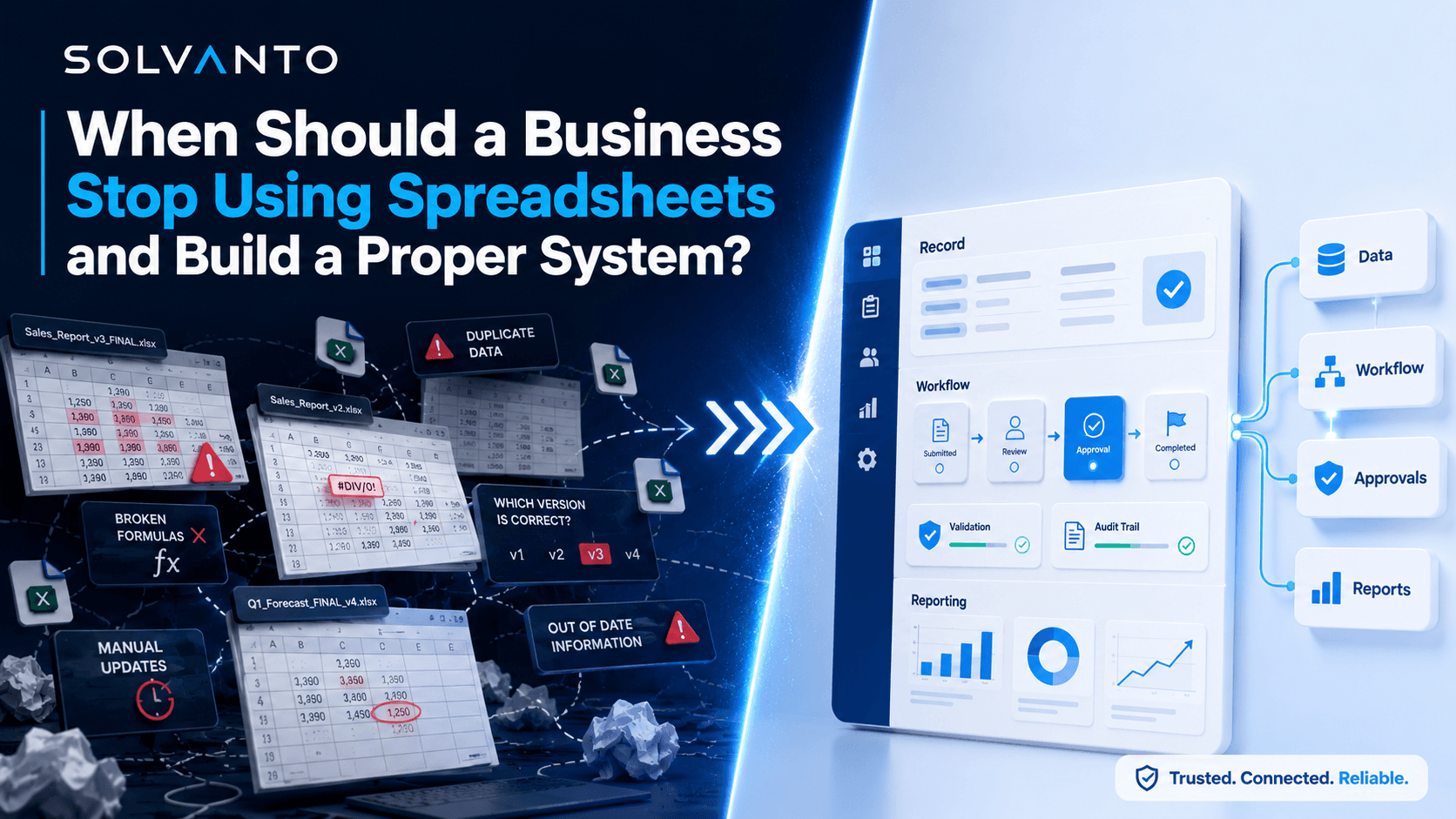
Spreadsheets are one of the most useful tools in business. They are quick to create, familiar to most teams, and flexible enough to solve a problem before anyone has time to build a proper system. For small lists, simple calculations, early-stage tracking, and one-off analysis, they are often the right choice.
The problem starts when a spreadsheet stops being a helpful working file and quietly becomes a business-critical system. At that point, it may be holding customer records, project updates, approvals, invoice tracking, operational reporting, or tasks that several teams depend on. What started as a quick fix becomes the thing everyone relies on, but nobody fully trusts.
A business should start moving away from spreadsheets when the process becomes shared, repeatable, risky, hard to audit, or too important to depend on manual updates.
This does not mean every spreadsheet needs replacing. Many spreadsheets are perfectly fine. The question is whether the spreadsheet is still supporting the process, or whether the process is now being forced to work around the spreadsheet.
This article explains the warning signs that a business has outgrown a spreadsheet, what usually goes wrong, and what better options are available across Power Apps, Power Automate, SharePoint Lists, Dataverse, systems integration, Azure, and reporting.
Why businesses end up running on spreadsheets
Most spreadsheet-heavy processes begin for a sensible reason. A team needs to track something quickly. The existing system does not quite support the process. A manager needs visibility. Finance needs a workaround. Operations needs a list. Someone creates a spreadsheet, it works well enough, and the business moves on.
Over time, more columns get added. More people start using it. A few formulas appear. Someone adds colour coding. Then filters, tabs, lookups, notes, hidden columns, copied data, manual exports, and weekly reporting routines start to build around it.
Before long, the spreadsheet is no longer just a spreadsheet. It is an unofficial system. The issue is that it usually lacks the things a proper system needs: controlled data entry, clear permissions, validation, audit history, reliable workflows, error handling, reporting structure, and long-term ownership.
The important distinction
A spreadsheet is not automatically bad. It becomes a problem when it is being used as a database, workflow tool, approval system, reporting layer, and operational process all at the same time.
Warning sign 1: More than one person edits the same spreadsheet
When one person manages a simple spreadsheet, the risk is usually manageable. When several people update the same file, especially as part of a live process, the risk increases quickly.
Multiple editors can mean accidental overwrites, inconsistent data entry, unclear ownership, version confusion, broken formulas, and changes that nobody notices until a report or process goes wrong. Even with modern cloud-based spreadsheets, the underlying issue remains: everyone is editing the same flexible grid, often without enough structure around what should be entered, when, and by whom.
Common symptoms include:
- People changing the same rows, columns, or statuses at the same time.
- Important updates being overwritten or missed.
- No clear audit trail of who changed what and why.
- Teams creating duplicate versions because they do not trust the main file.
If several people need to update the same operational data, it may be time to move that process into a structured app, list, or database where permissions, validation, and ownership can be managed properly.
Warning sign 2: Nobody fully trusts the data
One of the clearest signs a spreadsheet has become risky is when people stop trusting what it says. The business may still use it, but every important decision comes with a caveat: “Can someone check this first?” or “Is this definitely the latest version?”
Lack of trust usually means the spreadsheet has become too important for the level of control around it. Data might be copied from other systems, manually adjusted, filtered differently by different people, or updated without clear rules. Once confidence drops, teams start creating their own versions, and the problem gets worse.
Data trust issues often look like this:
- Different teams report different numbers for the same process.
- Nobody is sure which version is the master file.
- Reports need manual checking before they can be shared.
- People keep separate trackers because the shared one is unreliable.
Related service
If the main problem is unreliable reporting, data and reporting consultancy can help identify whether the issue is the spreadsheet, the data model, the source systems, or the process feeding the report.
Warning sign 3: The process relies on copy and paste
Copy and paste is often the hidden tax inside spreadsheet-heavy businesses. A team exports data from one system, copies it into a spreadsheet, adjusts it, then copies the result somewhere else. It may only take a few minutes each time, but repeated across teams and processes, it becomes expensive and risky.
Manual copying creates avoidable errors. Rows can be missed. Columns can shift. Old data can be pasted over new data. Filters can hide records. Someone can use the wrong export. None of these mistakes need to be dramatic to create damage. A small copy-and-paste error can affect invoices, customer communications, stock decisions, project planning, or management reporting.
If a process depends on regularly moving data by hand, the business is probably ready for automation, integration, or a better data store.
This is where tools like Power Automate, Azure Logic Apps, APIs, or scheduled data pipelines can help. The aim is not to automate for the sake of it. The aim is to remove repeated manual movement of data where accuracy and consistency matter.
Warning sign 4: Approvals happen through emails and memory
A spreadsheet often becomes risky when it is surrounded by informal approvals. Someone updates a row, sends an email, waits for a reply, forwards the response, changes a status, then remembers to notify the next person. It works until someone is off sick, busy, travelling, or simply forgets.
Email-based approvals are difficult to monitor because the process is spread across inboxes, messages, attachments, and individual memory. Managers may not know what is waiting, who owns the next step, or which approvals are overdue. The spreadsheet may show a status, but the real process lives somewhere else.
Better approval processes usually need:
- A clear request record with all required information.
- Defined approval stages and owners.
- Automated notifications and reminders.
- Escalation rules for overdue approvals.
- A visible status that does not depend on searching inboxes.
Related service
If approvals, reminders, and handoffs are the painful part, business automation services can help replace email-driven processes with structured workflows.
Warning sign 5: Reports take hours to prepare
Reporting is often where spreadsheet problems become impossible to ignore. A report that should be simple takes hours because someone has to export files, clean data, copy sheets, check formulas, update pivot tables, refresh charts, and manually explain exceptions.
This is not just a reporting problem. It usually means the business does not have a reliable reporting foundation. The data may be spread across disconnected systems, manually maintained trackers, and spreadsheet logic that only one or two people understand.
Better reporting usually starts before the dashboard. It starts with where the data comes from, how it is stored, how it is transformed, and whether the business has agreed what the key metrics actually mean.
Signs reporting needs a stronger foundation:
- Reports are rebuilt manually each week or month.
- People need to explain why the numbers do not match.
- Formulas and logic are hidden inside spreadsheets.
- Data quality issues are discovered late.
- Leaders do not get visibility until someone has prepared the pack.
Warning sign 6: Only one person knows how it works
The “spreadsheet hero” problem is common. One person built the file, understands the formulas, knows which tabs matter, remembers the exceptions, and can fix it when something breaks. That person is valuable, but the process is fragile.
If only one person understands how a business-critical spreadsheet works, the business has a continuity risk. Holiday, sickness, resignation, workload, or simple human error can cause delays and confusion. It also makes improvement harder because nobody wants to touch the file in case they break something.
A proper system should be easier to understand, document, support, and improve. It should not rely on hidden logic or personal knowledge to keep running.
Warning sign 7: Mistakes are starting to cost money or time
Spreadsheet mistakes are not always harmless. They can lead to incorrect invoices, missed renewals, duplicated work, poor stock decisions, late approvals, wrong customer updates, unreliable reports, or operational delays.
Once mistakes start costing real time or money, the business should stop treating the issue as an admin inconvenience. It has become a systems problem. The question is no longer whether the spreadsheet is convenient. The question is whether it provides enough control for the risk attached to the process.
The more important the process, the less suitable it is for a fragile spreadsheet workaround.
Warning sign 8: The business has outgrown the workaround
Some spreadsheets are created to bridge a temporary gap. The issue is that temporary workarounds often become permanent. The business grows, more people depend on the file, the process becomes more complex, and the original quick fix starts slowing everyone down.
A business has usually outgrown the workaround when the spreadsheet needs more structure than a spreadsheet can comfortably provide. That might mean forms, permissions, approval stages, automated notifications, related records, reporting views, validation rules, integrations, audit history, or role-based access.
At that point, keeping the spreadsheet may feel easier in the short term, but it creates more drag over time. The better move is usually to design a proper system around the process.
What should replace the spreadsheet?
There is no single replacement that fits every spreadsheet-heavy process. The right option depends on the complexity of the process, the number of users, the importance of the data, reporting requirements, integration needs, and how much control the business needs.
The good news is that many businesses do not need a huge custom software project to improve things. If they already use Microsoft 365, there are practical options that can replace or strengthen spreadsheet workflows without jumping straight to an expensive enterprise system.
Power Apps for structured internal apps
Power Apps is often a strong fit when a spreadsheet is being used to manage a repeatable internal process. Instead of asking users to edit rows and columns directly, a Power App can provide forms, screens, validation, permissions, and a cleaner user experience.
This can work well for request tracking, onboarding, project records, asset registers, approval dashboards, operational trackers, and internal business tools where people need a controlled way to create, update, and view information.
Related service
If the spreadsheet needs to become a structured internal app, explore Power Platform consultancy to see how Power Apps and Power Automate can support the process.
Power Automate for approvals, notifications, and workflow
Power Automate is useful when the problem is not just where data is stored, but how the process moves. It can help with approval routing, reminders, status changes, email and Teams notifications, scheduled actions, exception handling, and connecting Microsoft 365 tools.
A good workflow should reduce chasing and make ownership clearer. It should show what has happened, who needs to act next, and where something is stuck.
SharePoint Lists or Dataverse for better data storage
If the spreadsheet is mainly being used as a shared table, a better data store may be the first step. SharePoint Lists can work well for simpler Microsoft 365 processes where the data is structured but not too complex. Dataverse is usually better when the process needs richer relationships, stronger data modelling, role-based security, or a more scalable Power Platform foundation.
The important point is to stop treating business-critical data as loose cells in a file. Once the data is structured properly, it becomes easier to validate, secure, report on, automate, and integrate.
Systems integration when data needs to move between platforms
Some spreadsheet problems exist because systems do not talk to each other. A team exports from one platform, updates a spreadsheet, then imports or emails the result somewhere else. In that case, the better solution may be systems integration rather than simply rebuilding the spreadsheet as an app.
Integrations can move data between CRMs, finance systems, Microsoft 365, databases, operational platforms, reporting tools, and other line-of-business systems. This reduces manual handoffs and improves consistency across the business.
Related service
If the spreadsheet exists because systems are disconnected, systems integration consultancy can help connect the tools, data, and workflows the business depends on.
Azure when reliability, scale, and monitoring matter
Some processes need more than a lightweight app or workflow. If the solution is business-critical, handles larger data volumes, needs stronger monitoring, requires scheduled data movement, or connects several systems together, Azure may be the better foundation.
Azure can support more robust integration, data architecture, automation, storage, monitoring, alerting, and operational visibility. It is especially useful when the business needs something that can be supported properly as usage grows.
Related service
If the process needs stronger reliability, scale, monitoring, or cloud architecture, Azure consultancy can help design the right Microsoft cloud foundation.
Data and reporting when dashboards need to be trusted
If the biggest pain is reporting, replacing the spreadsheet with a nicer front end may not solve the real issue. The business may need a cleaner reporting model, better data pipelines, agreed definitions, improved transformations, and more reliable data sources.
Trusted dashboards depend on trusted data. That means designing the flow from source systems through to reporting, not just polishing the final chart.
How to decide what to build first
The best starting point is usually the process that creates the most regular friction. Do not start by trying to replace every spreadsheet in the business. Start with one process where the pain is obvious and the benefit of improvement is easy to explain.
A practical assessment:
- Which spreadsheet is used most often by multiple people?
- Which process creates the most manual chasing or rework?
- Which report takes the longest to prepare or explain?
- Which file would cause the biggest problem if it broke tomorrow?
- Which workaround has clearly outgrown its original purpose?
- Which process has the strongest business case for improvement?
Once the right process is chosen, map how it works today. Identify the users, data sources, approvals, manual steps, reports, exceptions, and systems involved. From there, it becomes much easier to decide whether the right answer is a Power App, automation workflow, better data storage, systems integration, Azure architecture, reporting improvement, or a combination of these.
The right solution should match the process. A small workflow does not need enterprise architecture, but a business-critical process should not depend on a fragile spreadsheet either.
Common mistakes to avoid
Moving away from spreadsheets can create a lot of value, but only if the replacement is designed properly. A poor system can be just as frustrating as a poor spreadsheet, especially if it makes the process harder for users.
Avoid these common mistakes:
- Rebuilding the spreadsheet exactly as it is without improving the process.
- Choosing a tool before understanding the workflow and data.
- Ignoring reporting until the end of the project.
- Forgetting permissions, ownership, documentation, and support.
- Over-engineering a simple process that only needs a lightweight solution.
- Under-engineering a critical process that needs monitoring and resilience.
The goal is not to replace spreadsheets for the sake of it. The goal is to build a more reliable way of working where the business needs more control, visibility, and confidence.
How Solvanto helps businesses move beyond spreadsheets
Solvanto helps businesses replace fragile spreadsheet-heavy processes with practical Microsoft-based solutions. That might mean building a Power App, automating approvals, moving data into SharePoint Lists or Dataverse, integrating business systems, improving reporting foundations, or designing a more robust Azure-backed solution.
The focus is always on the business process first. Before choosing the tool, Solvanto helps clarify what the spreadsheet is doing, why it has become difficult to manage, what data matters, who needs to use it, what should be automated, and what level of reliability is needed.
Some businesses need a simple first step. Others need a more structured solution that connects systems, improves reporting, and can be supported properly over time. Either way, the aim is the same: reduce manual work, improve trust in the data, and create a system that fits how the business actually operates.
Solvanto services
Explore Power Platform consultancy, automation services, systems integration consultancy, data and reporting consultancy, and Azure consultancy if your spreadsheet-heavy process needs to become something more reliable.
See similar work in practice
Want to see how this thinking applies to real delivery? Explore our case studies to see examples of how Solvanto helps businesses improve systems, automate manual work, connect platforms, and build more reliable reporting foundations.
Final thoughts
Spreadsheets are useful, but they are not always the right foundation for a growing business process. When multiple people are editing the same file, nobody trusts the data, approvals happen through inboxes, reports take hours, or only one person knows how everything works, the business has probably outgrown the workaround.
The next step does not need to be dramatic. It might be a simple Power App, an automated approval flow, a better data store, an integration between systems, an Azure-backed process, or a stronger reporting foundation. What matters is choosing the right level of solution for the risk and value of the process.
If the spreadsheet is still helping the business, keep it. But if the business is now working around the spreadsheet, checking it, fixing it, copying from it, explaining it, and worrying about it, that is usually the sign to build something better.
When a spreadsheet becomes the system everyone depends on, it is time to ask whether the business needs a proper system instead.